Skip to content

Ask your library first. Then, the internet.

Save sources. Ask questions. Every answer cites the exact passage it came from, and the boundary only widens when you say so.No credit card. 25 notes, unlimited folders, and 20 chat messages a day on the free plan.
See it work

From a saved source to a cited answer.

01 · Save

Drop a source.

A PDF, a link, a transcript — it lands in your library with its source kept, filed into the folder you choose.

02 · Ask

Ask your library.

The answer streams back grounded in what you saved — scoped to the boundary you set, nothing invented.

03 · Verify

Open the passage.

Every citation opens the exact passage it used. You verify the receipt, not the vibe.

04 · Keep

Keep the answer.

One click saves the useful answer back into the note it came from — your library compounds instead of scattering.

xeso.ai/library
The shift

Most tools forget what you saved. XESO brings it back with sources.

Save the source once. Ask later. Open the exact passage behind the answer.
Not in your library yet. Start your library, narrow the question, or widen the boundary.
Library

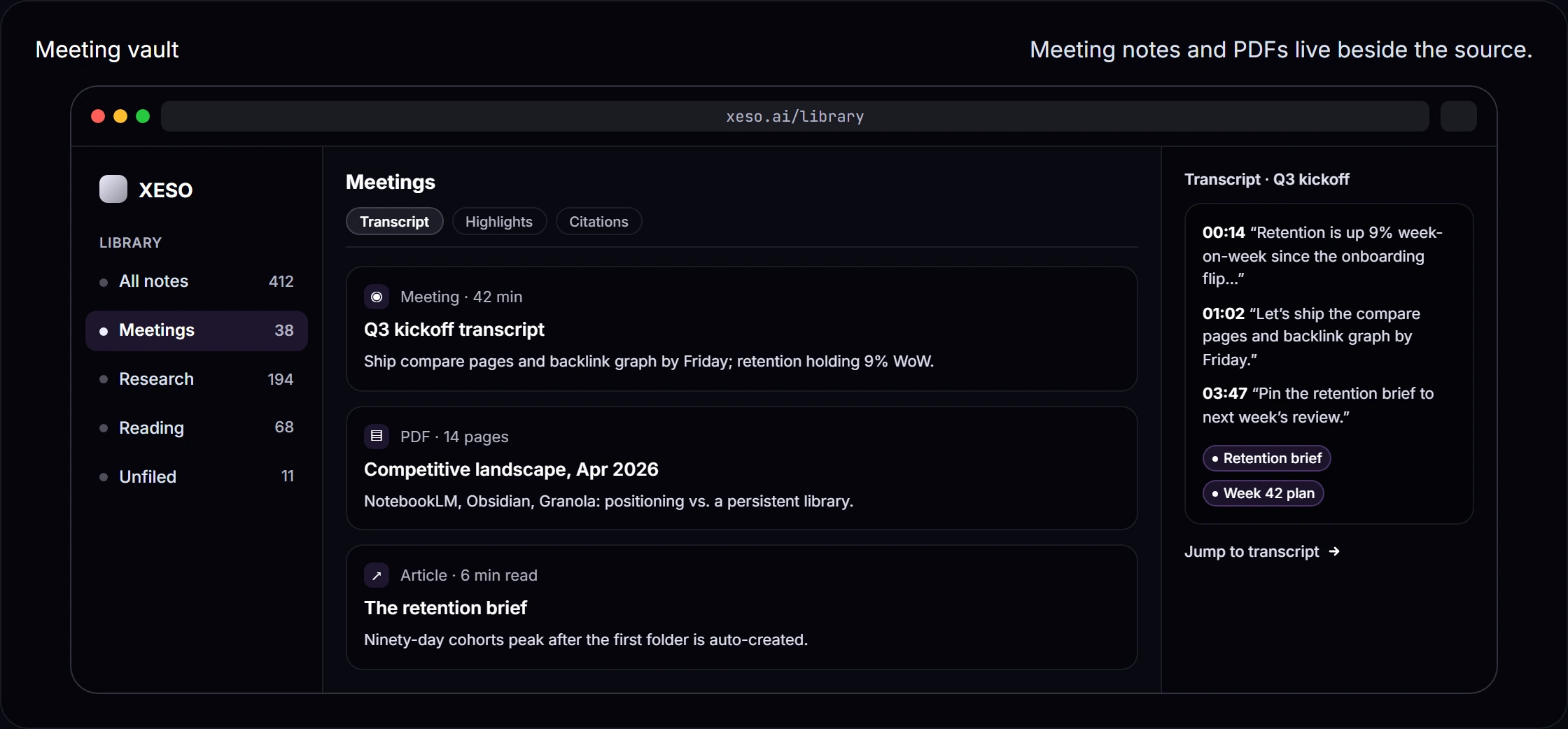
One library. Notes, papers, meetings, the lot.

Transcripts sit beside PDFs and notes — same boundary, same citations.

Library: One library. Notes, papers, meetings, the lot. — product screenshotTranscript, filed beside the paper it cites
Import

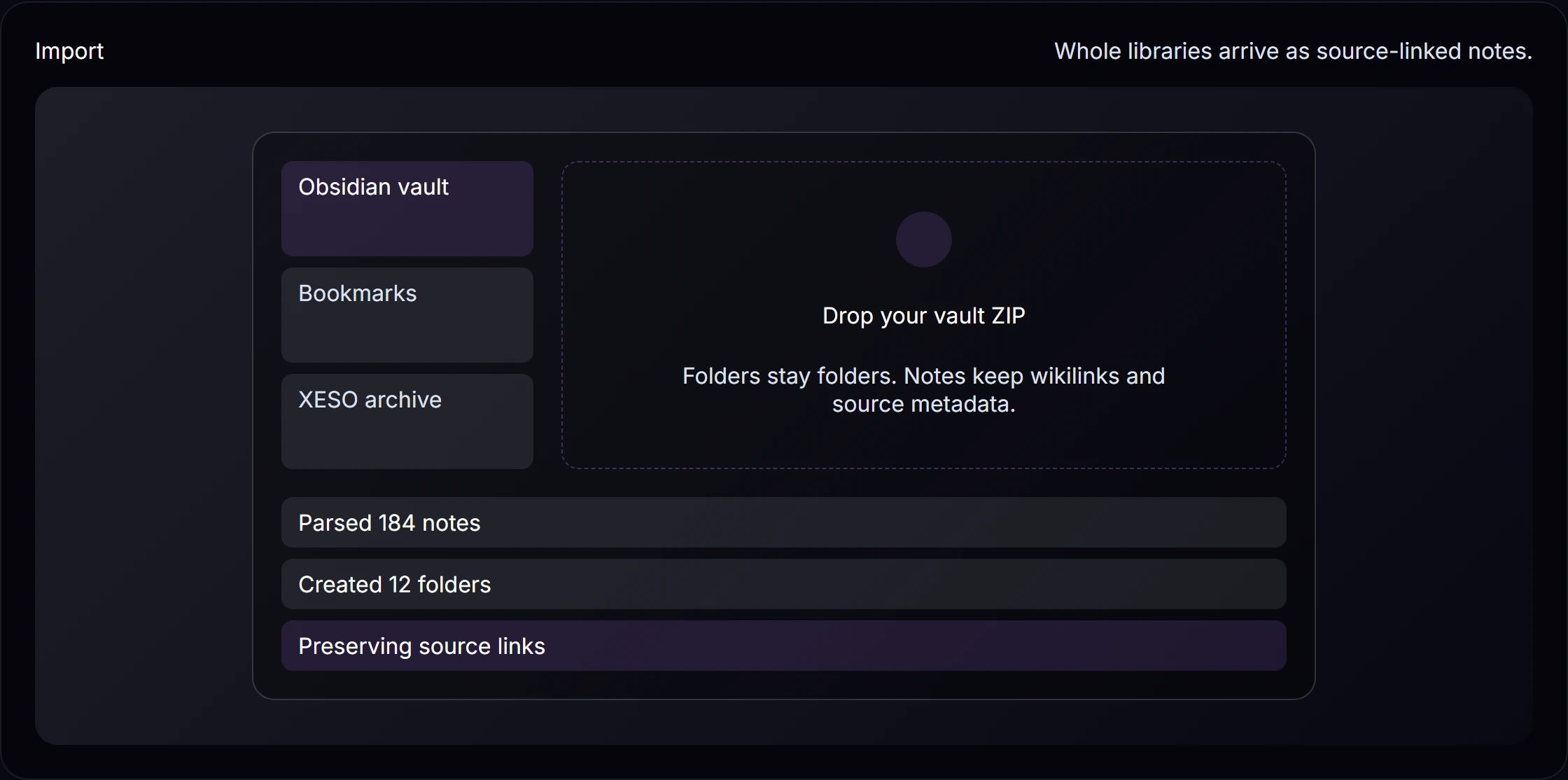
Bring old libraries without losing their shape.

Files and notes arrive source-linked — searchable, askable, exportable.

Import: Bring old libraries without losing their shape. — product screenshotEvery import keeps its source
Capture

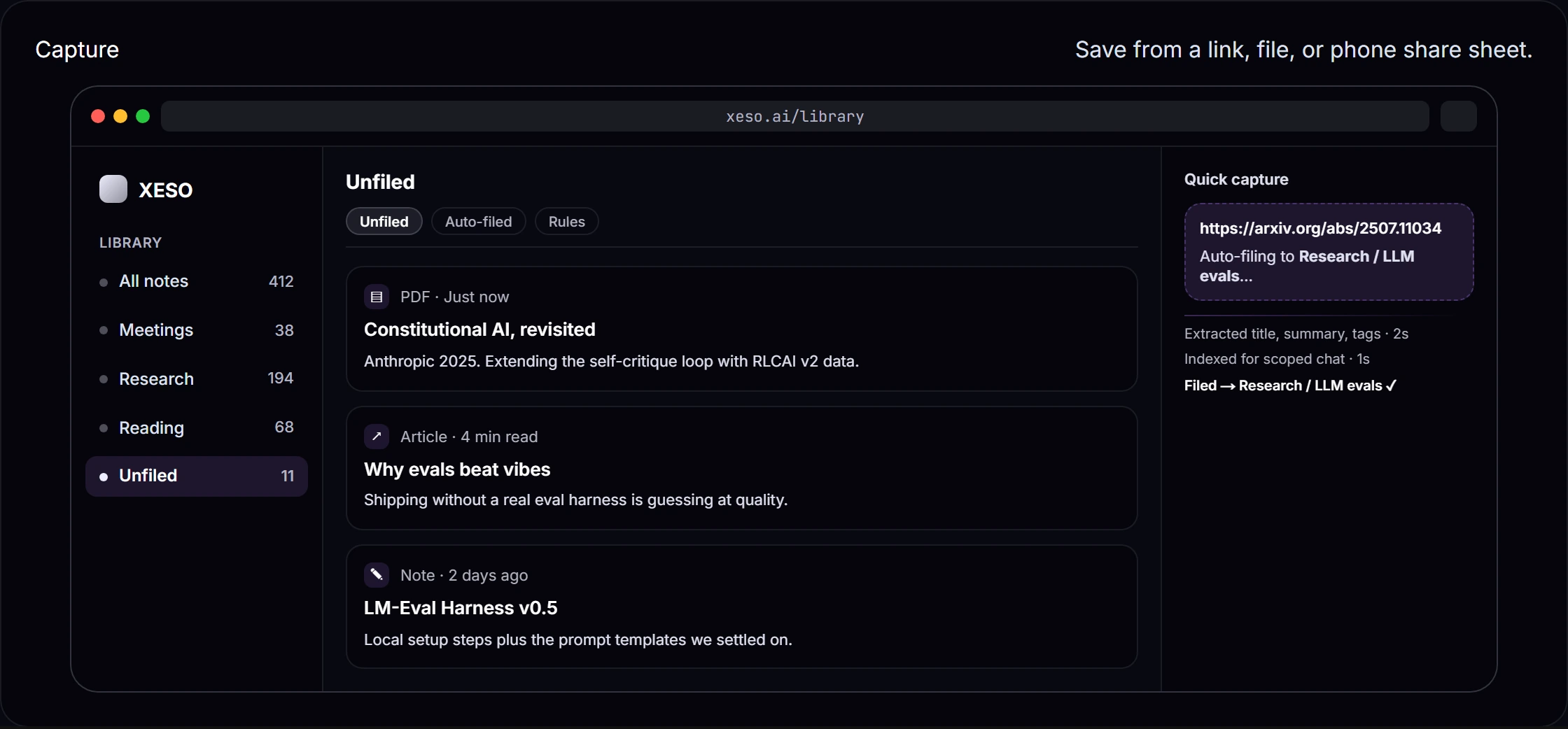
Save the thing while it is still in front of you.

Paste a link, drop a file, share from your phone, or start blank. It lands as a source-linked note instead of another tab you meant to revisit.

Capture: Save the thing while it is still in front of you. — product screenshot
Daily surfaces

The library keeps working between questions.

Today queues what changed, review keeps it remembered, people and canvas give it shape.

Today

Opens with what changed: new connections, due reviews, fresh imports.

Review

Spaced review turns saved notes into remembered ones.

People

Everyone you meet gets a dossier built from your own notes.

Canvas

Lay notes out in space when a list stops being enough.

Design choices

Three choices we made on purpose

XESO is for people who treat a library like evidence - organized saves, scoped questions, and answers you can verify.

Your captures first

Answers start from what you saved, with passages you can open.

How answers stay grounded

Answers are grounded in your saved sources and cite the exact passage. When citation coverage is too thin to support an answer, XESO refuses instead of guessing.

Hard boundaries

Scope chat to your whole library, one topic, or a single note.

Scope selector — chat

Library · Topic · Note. Chat context is bounded to the scope you pick — nothing outside the boundary is retrieved into the answer.

Serious-workflow posture

Private and temporary modes for sensitive work; export from day one.

No lock-in — plans & guarantees

Export your notes to JSON and Markdown, any time. Cancel in one click from Settings → Billing — no retention call, no dark pattern.
Teams

Ask as a team. Keep the boundary.

Workspaces add roles, SSO, and an audit log around the same cited answers — your personal library stays yours.
Workspaces

One workspace. Everyone asks, every answer cites.

Invite the team, set roles, and share folder by folder — never by default.

Workspaces: One workspace. Everyone asks, every answer cites. — product screenshotRoles, enforced in codeEvery change lands in the audit log
Early access open this month

Your library starts with one save.

Ten seconds to your first capture. The next answer you ask will cite it.Full plan comparison →